Zapier is often the first automation tool business people hear about. That makes sense: it is the best known, has the most integrations and a very simple interface.
But the price can be a big surprise. Once a business starts using automation seriously, the Zapier bill can quickly reach several tens or hundreds of euros a month. That is why it pays to know the alternatives.
How much does Zapier cost?
Zapier's free plan is very limited: only two-step "Zaps" and 100 tasks per month (as of October 2026). That does not work for real business use. The entry-level paid Professional plan (from about $20/month billed annually) allows 750 tasks, but that quickly runs out for more complex automation.
For more tasks the price goes up: for example, 2,000 tasks cost about $49/month billed annually, and the Team plan starts at about $69/month (prices change). For a large business, prices reach several hundred euros a month. This is the main reason more and more people are looking for alternatives.
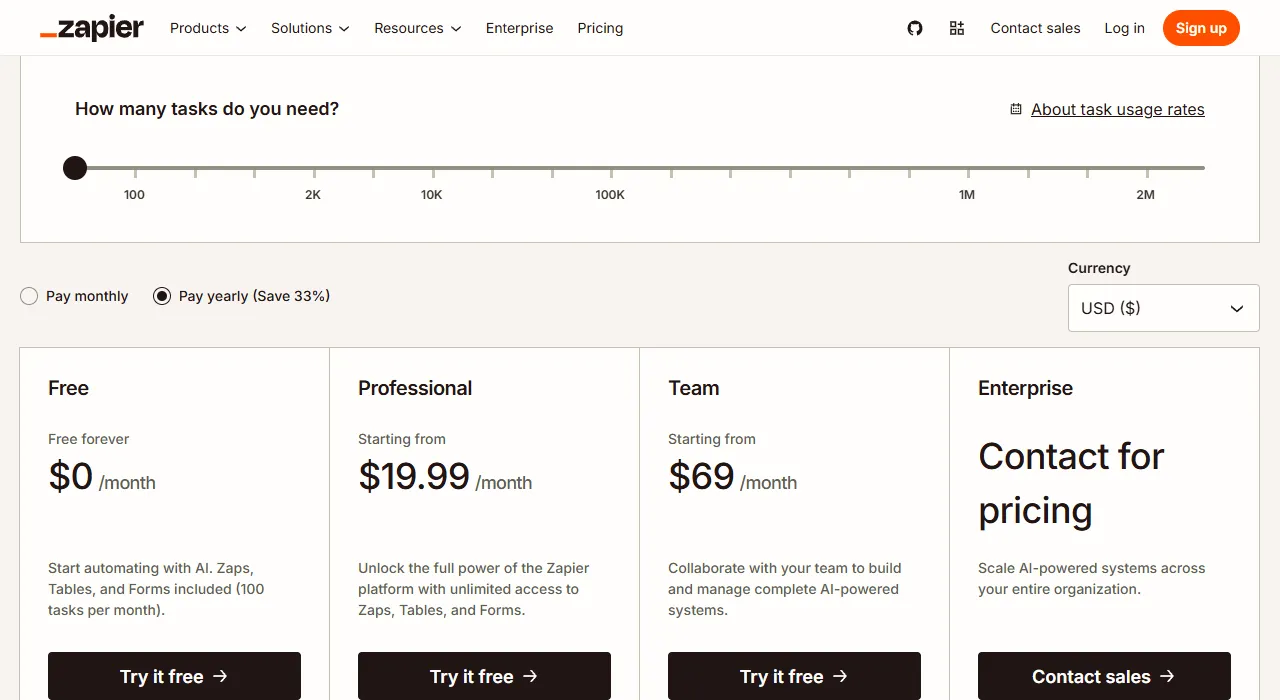
- 1 Number of tasks per month: the price depends on it
- 2 Professional: the entry-level paid plan
Make: a visual, cheaper alternative
Make (formerly Integromat) is the closest match to Zapier in simplicity, but considerably more flexible and cheaper. Make's free plan allows 1,000 credits per month, far more than Zapier's 100 tasks (although Make credits and Zapier tasks are counted differently).
Make's paid plans start at about $9/month billed annually (as of October 2026). The features are similar to Zapier's, but data transformation and conditional logic are more powerful in Make. The downside: some integrations take longer to configure.
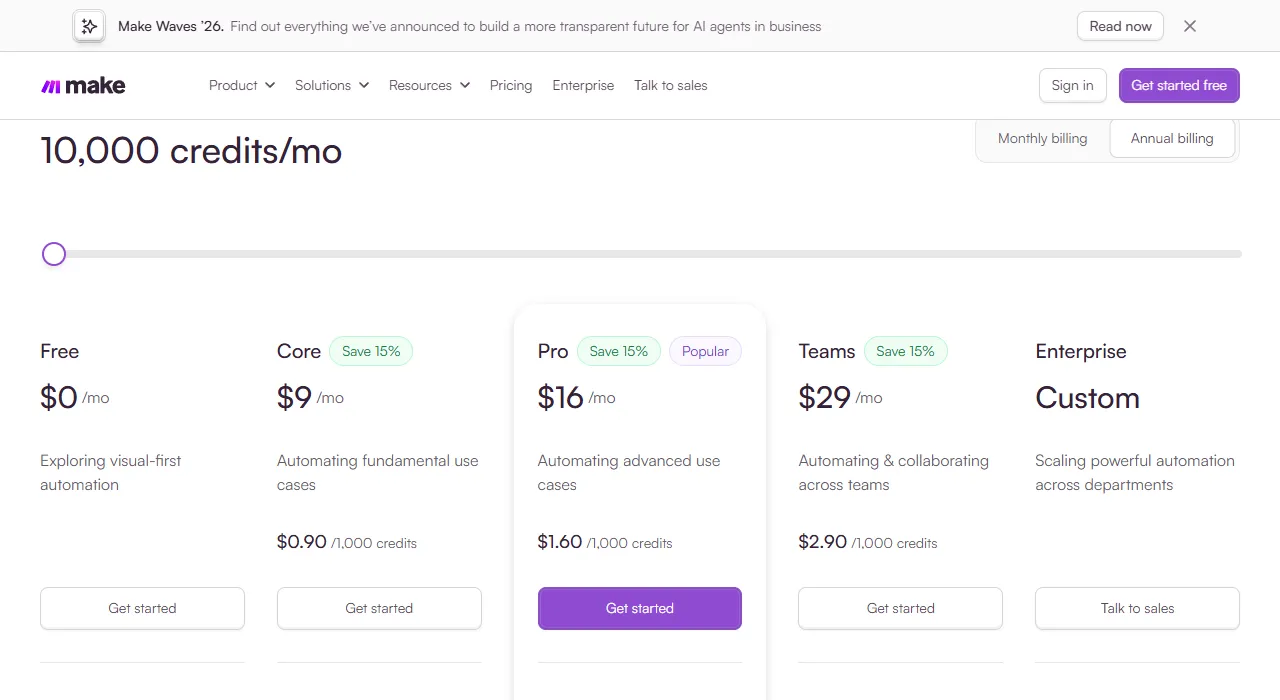
- 1 Selected number of credits per month
- 2 Core: the cheapest paid plan
n8n: the most powerful alternative
n8n is an open-source tool you can install on your own server. That means no operation limits and full control over your data. For large automations, n8n can cost several times less than Zapier.
The downside is that n8n requires more technical knowledge. Simple scenarios are quick to build, but more complex ones may require programming. So n8n is a better fit when you have technical skills in-house or work with a specialist.
When is Zapier still the best choice?
Zapier has one undeniable advantage: the most integrations and the fastest setup. If you need a specific integration that Make or n8n does not have, Zapier may be the only option.
Zapier also fits when the team configures automations on its own without technical help and when simplicity matters more than price. For existing users who are happy with it, switching tools often makes no sense.
How do you choose the right tool?
A simple rule: if the automation is simple and there are few operations, Zapier. If you need more operations and more flexible logic, Make. If data privacy, a large volume of operations or complex logic matters, n8n.
In my work with clients I use all three. The choice always depends on the specific business situation, the existing systems and the budget.